
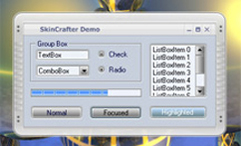
C++ skins. Customize MFC-based applications with professional GUI skins easily.
Would you like to skin your C++ MFC-based application developed on Visual C++ with exclusive GUI skin? Take advantage of our SkinCrafter ActiveX/DLL GUI skin component which supports all Win32 languages (Visual C++, Visual Basic, Delphi and others). This page is aimed to cover the important question about SkinCrafter skinning library integration in VC++ project and C++ skin applying as well. SkinCrafter creators are going to walk you through each VC++ code line of the skin component integration process to make it clear for you with the help of explicative comments.
Programming code below shows skin library integration into Visual C++ application where GUI is developed with MFC resources:
C++ skins integration
ISCSkin3 *m_pSkin = new ISCSkin3;
// The code in CODE SECTION has to be called in InitInstance() function,
// before creation of a main window
/* ———— Begin of CODE SECTION ————- */

CoInitialize(NULL);
m_pSkin->CreateDispatch(”SkinCrafter.SCSkin3″);
m_pSkin->InitLicenKeys(”SKINCRAFTER”,”SKINCRAFTER.COM”,
“support@skincrafter.com”,”DEMOSKINCRAFTERLICENCE”);
m_pSkin->DefineLanguage(0);
m_pSkin->InitDecoration(1);

/* ———— End of CODE SECTION ————- */

m_pSkin->LoadSkinFromFile(”D:\\Skin.skf”);
m_pSkin->ApplySkin();
Note : If you plan using Calendar control in your application, please switch off Visual styles for proper drawing of Calendar Control. So please comment the string :
//Application::EnableVisualStyles();
if it exists.
In case, for some unexplained reason you are still having a problem with C++ project skins, please, take advantage of the services offered by our dedicated team. Our guys will help you solve your problem in the shortest time possible.