
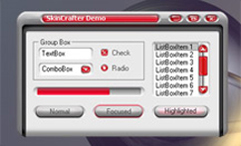
Visual Basic skins for developers allows easily customize their applications with professional GUI skins.
Is your VB program still waiting for you to decide to dress it with Visual Basic skin? If you have doubt in the possibilities we offer with our skin library try to insert several lines of VB code presented below and Visual Basic skin you’ll choose can be easily applied. As you can see the initializing of SkinCrafter skin library in VB project can be done in several steps which are explained with detailed comments.
Add Visual Basic skin to your project using the code below
Private SkinOb As New SKINCRAFTERLib.SCSkin3

‘ The code in CODE SECTION has to be called in Form_Initialize() function

‘ ——— Begin of CODE SECTION ———- ‘

SkinOb.InitLicenKeys “SKINCRAFTER”,”SKINCRAFTER.COM”,
“support@skincrafter.com”,”DEMOSKINCRAFTERLICENCE”
SkinOb.DefineLanguage 2
SkinOb.InitDecoration 1

‘ ——— End of CODE SECTION ———- ‘

SkinOb.LoadSkinFromFile “D:\\Skin.skf”
SkinOb.ApplySkin
Note : If you plan using Calendar control in your application, please switch off Visual styles for proper drawing of Calendar Control. So please comment the string :
//System.Windows.Forms.Application.EnableVisualStyles()
if it exists.
Important to know that beginning from SkinCrafter v 1.4.8 a new small AciveX component has been included in the install package. Further, it is specified as SCLabel which is specially designed for VB skinners. As all label controls are windowless in Visual Basic, SkinCrafter is unable to skin it properly. We suggest using an AddDrawText method to display any text over the Visual Basic skins, but now a better solution has been found. To resolve the situation SCLabel should be used instead of standard labels. To skin your existing VB projects just replace the Labels with SCLabels and do your skinning as usual. For SCLabel to be available in designer, go to “Project\Components…” menu (or press Ctrl+T) and check “SCLabel ActiveX Control module”
One more thing to mention is that SCLabel also needs to be registered when distributing with your application, just like all ActiveX components.
In case, you still have a problem with Visual Basic project skinning, please, take advantage of the services offered by our dedicated team. Our guys will help you solve your problem in the shortest time possible.